Works out of the box
Windows, macOS, and Linux packages include the Hermes Agent core. Download, install, add an API key, and start chatting in 3 minutes — no command line, no complex setup.
A native desktop client for Windows, macOS, and Linux with the Hermes-CN-Core runtime built in. Install it, set an API key or local model endpoint, and start working with your AI agent — chat, skills, memory, scheduled tasks, and MCP, all included.
Windows · macOS · Linux · Tauri v2 · Built-in Hermes-CN-Core
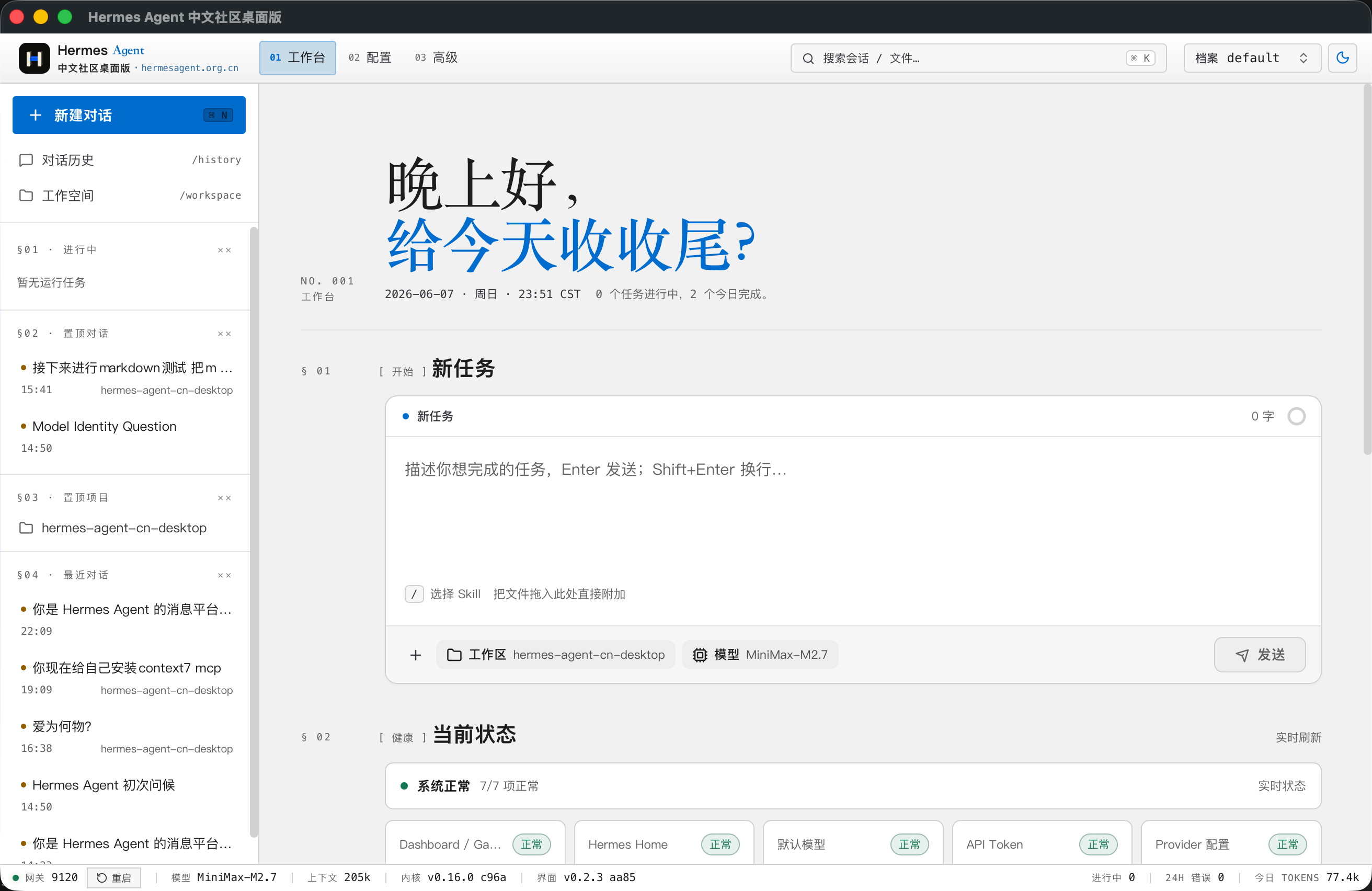
Windows, macOS, and Linux packages include the Hermes Agent core. Download, install, add an API key, and start chatting in 3 minutes — no command line, no complex setup.
Built with Tauri. A small installer, fast startup, native windows, local processes, and system file dialogs.
A built-in independent Hermes Agent core with Ed25519 signature verification, health checks, and one-click rollback. REST, uploads, and SSE all go through a Rust proxy.
From installation and model setup to chat and workflows — the full agent experience, right on your desktop.
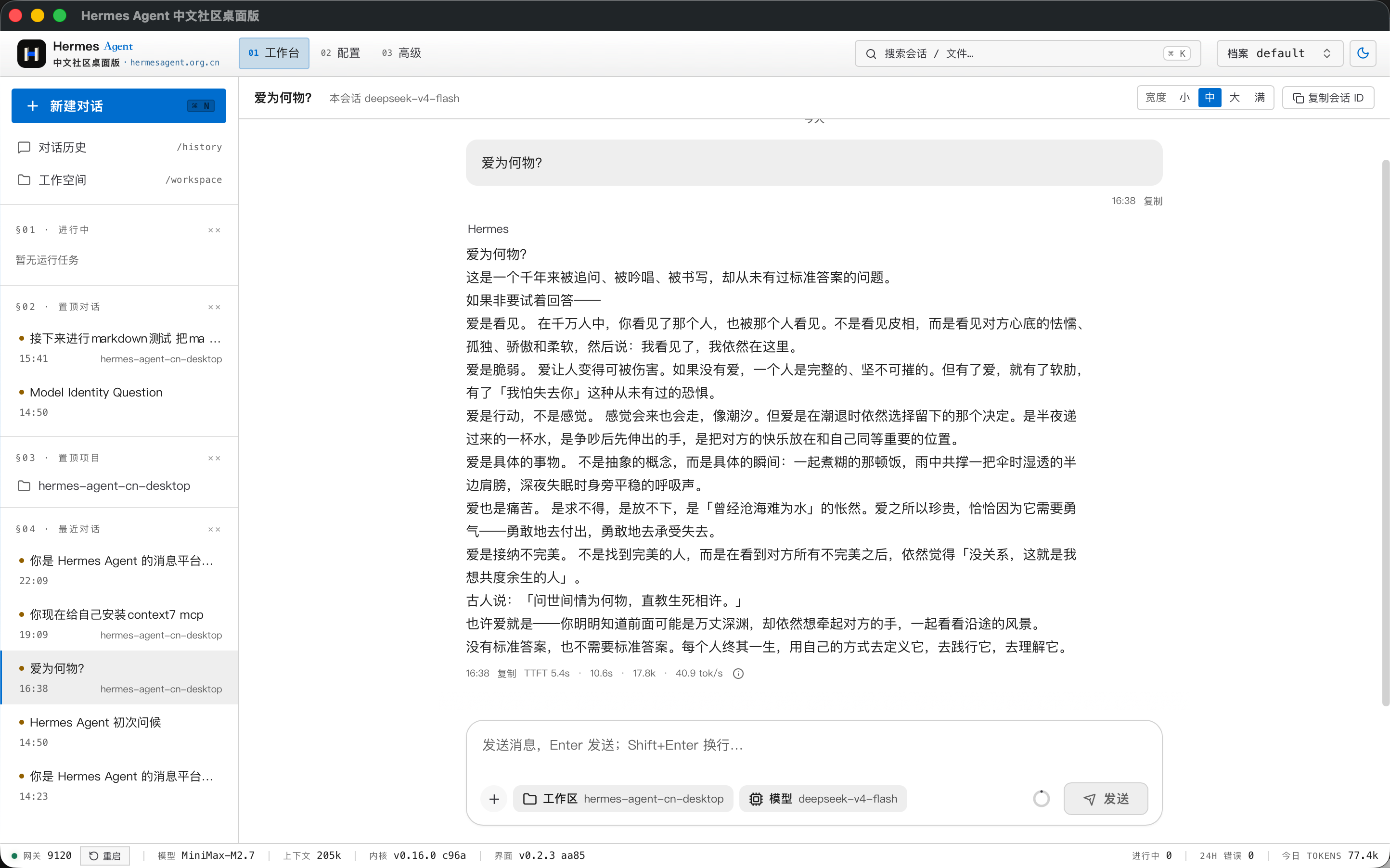
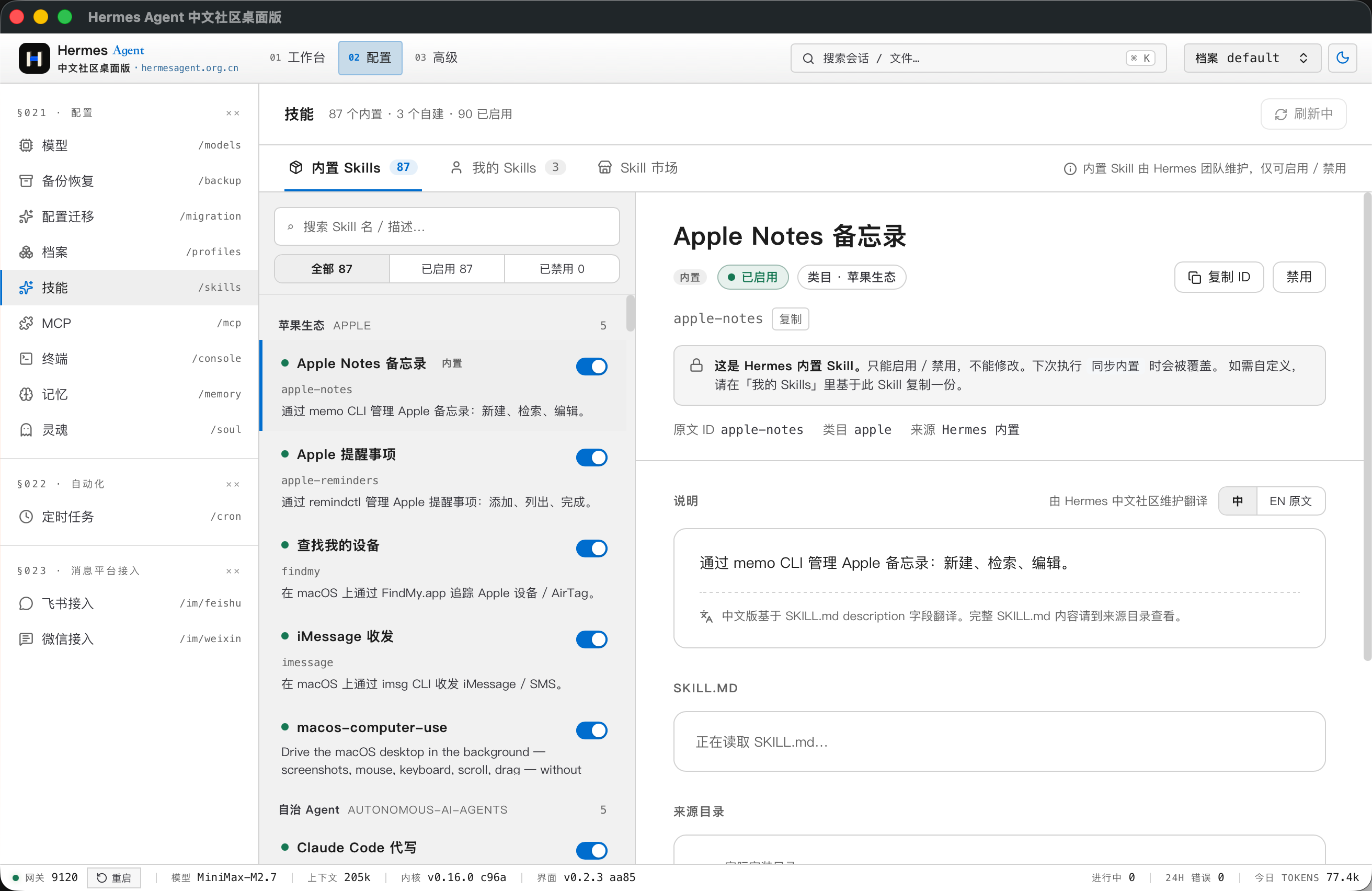
Chat, streaming output, attachments, MCP, Skills, Memory, Profiles, scheduled tasks, and runtime health panels are all built in.
A complete chat experience built for agent workflows.
The core capabilities that let an agent actually get work done.
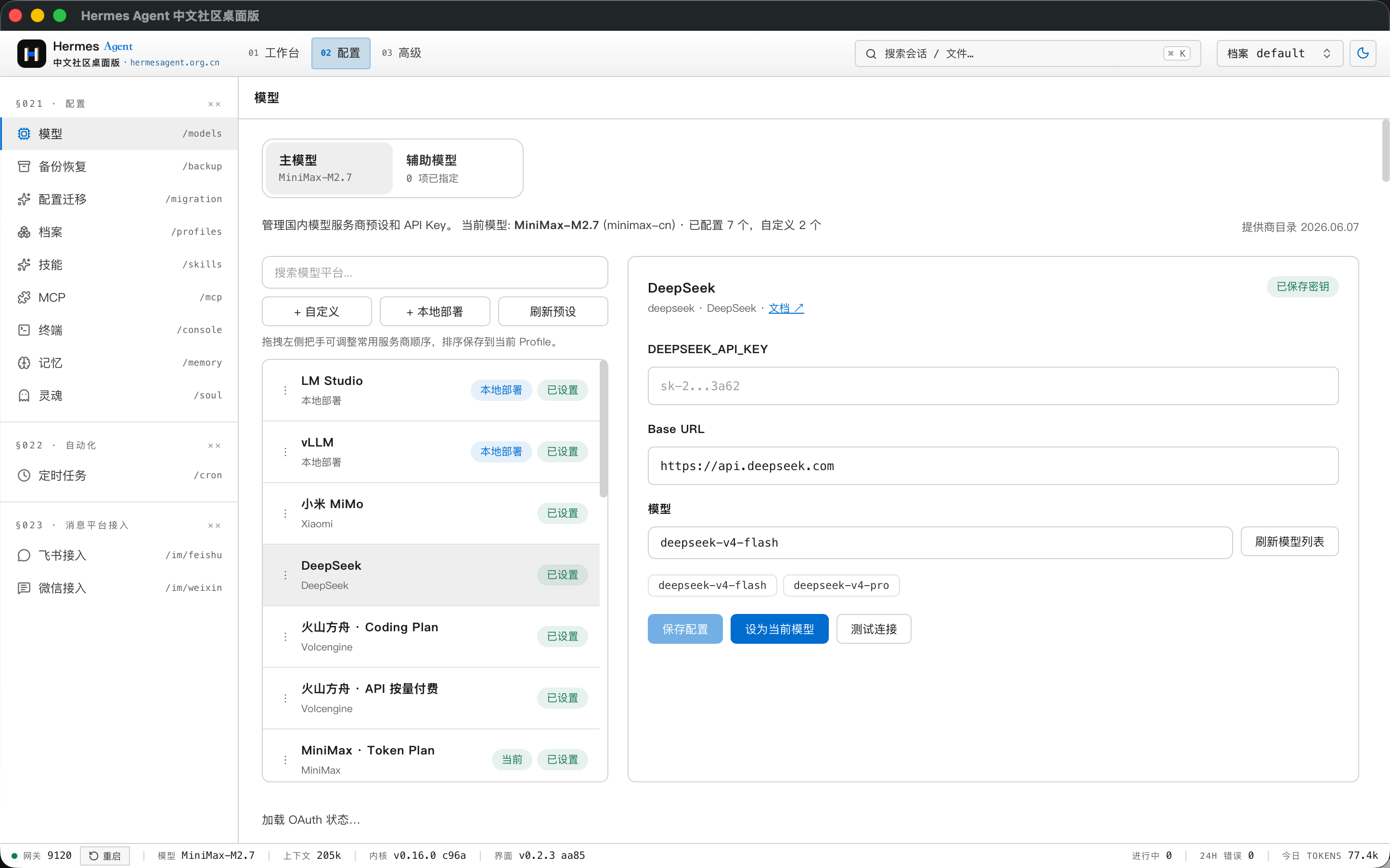
Compatible with cloud providers and local model deployments.
Production-grade stability and security, handled by the desktop.
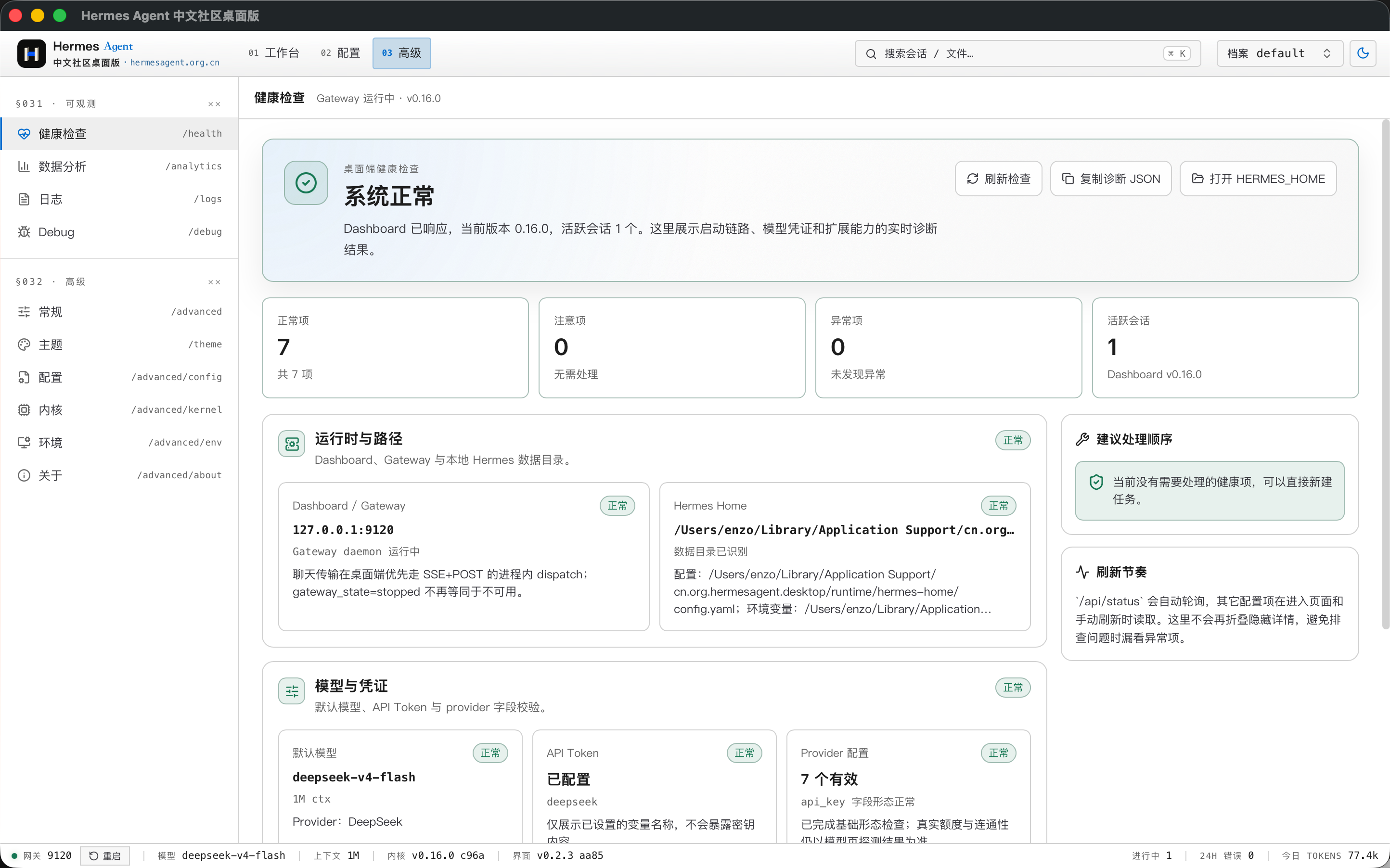
Cloud providers and local deployment options such as Ollama, vLLM, LM Studio, and llama.cpp are covered — just add an API key or local endpoint and go.
Workbench, archives, chat, LaTeX, console, Feishu integration, stats, health, config, runtime, and logs.
Completely free and fully open source. v0.9.0 stable is available now.
Double-click to install, with update prompts — right for most users.
x64 · Windows 10 / 11
Download .exeHermes_Agent_CN_Desktop_0.9.0_x64-setup.exe
Apple Silicon(M 系列芯片用这个)· macOS 14+
Download .dmgHermes_Agent_CN_Desktop_0.9.0_aarch64.dmg
x64 · Ubuntu 22.04+ / Debian 12+
Download .debHermes_Agent_CN_Desktop_0.9.0_amd64.deb
Windows and macOS portable zips keep data in an adjacent data folder. The Linux AppImage runs without installation and uses the standard Linux user data directory.
Apple Silicon(M 系列芯片用这个)· macOS 14+
Download .zipHermes.Agent.CN.Desktop_0.9.0_aarch64-macos-portable.zip
x64 · Ubuntu 22.04+ / Debian 12+
Download .AppImageHermes_Agent_CN_Desktop_0.9.0_amd64.AppImage
Upgrading from v0.7.0: quit the app and download the matching installer. On Mac, replace the existing app; on Windows, install over it. No uninstall or data deletion is needed. Portable users should keep the data folder.
RC and internal test builds should be upgraded manually with the stable installer. Channel and source settings are preserved. To receive stable updates, select Stable and reset custom or testing sources to the default under Software Update → Advanced update options.
Windows, macOS, and Linux packages include the Hermes-CN-Core runtime. On first launch, the app initializes from the bundled runtime first; managed download/update is used for upgrades or fallback repair.
Requires macOS 14 or later. Official installers are Developer ID signed and notarized by Apple.
Windows installers do not use a commercial code-signing certificate, so Windows may show an unknown publisher. In-app updates are verified using the project’s signing key.
Using an older macOS release? View v0.7.0 downloads → See all versions & changelog →Explore real-world industry applications of AI Agent technology.



This project is the desktop shell for Hermes Agent, adding native windows, local process management, system file dialogs, a managed runtime, runtime diagnostics, and a safer REST / SSE proxy layer in production mode. The agent runtime and Dashboard source live in Hermes-CN-Core; upstream is the Nous Research Hermes open-source project.
The desktop app runs the core and session state locally, and model calls go directly to the providers you configure. In production mode all REST, upload, and SSE traffic goes through a local Rust proxy that centralizes auth — never through a third-party server.
Native support for Volcengine ARK, Baidu Qianfan, Tencent Hunyuan, Alibaba Cloud Bailian, Zhipu GLM, MiniMax, Moonshot Kimi, SiliconFlow, ModelScope, UCloud AI Computing, plus local Ollama, vLLM, LM Studio, and llama.cpp deployments; other compatible services can be configured too.
Yes. We ship Windows x64, macOS Apple Silicon, macOS Intel, plus Linux x64 as both .deb and AppImage packages.
The desktop app is developed in the open on GitHub. Its core comes from the Nous Research Hermes project, maintained and enhanced by the Chinese community. Star it, file issues, contribute.